Deploying your Smart Contract for Testing

Hardhat already comes with a sample deploy script called "sample-script.js" if you choose the Create a Basic Project Option when starting your Hardhat project.
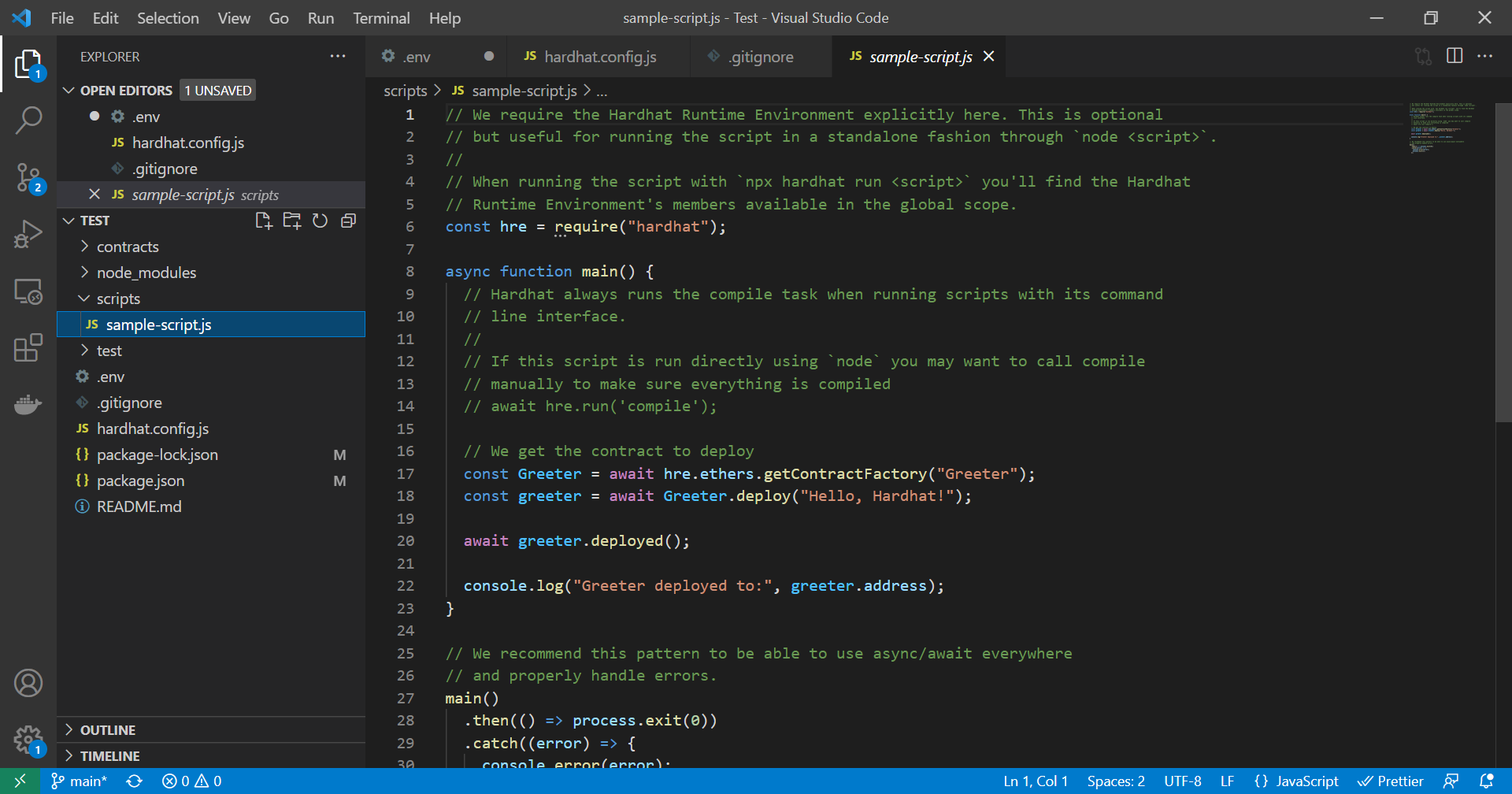
Its pretty simple. Basically it gets a Contract Factory, which is a lot like what it sounds, its an abstraction that represents an object that can product instances of a contract for use to deploy again and again during testing. The Contract Factory object includes a function called deploy() that actually lets us deploy our smart contract. It is an asynchronous function, but the contract object that gets created from the deploy() function has a deployed() function itself that we can wait on. This is useful because the deployed() function has an address property that we can use to check the address our contract was deployed at.
There are three ways to deploy your smart contract when testing it out.
You can deploy it locally from Terminal/Command Line using a script in the Hardhat project and not specify a network. If you don't specify a network then Hardhat will create a local Eth blockchain, execute your script, and upon completion of executing your script it will destroy that local network. If you want to do this do:
npx hardhat run scripts/sample-script.js
If you are just doing some quick testing (all within your deploy script), maybe this works fine for you. If you want to do some more robust testing and send transactions to it outside of just within the confines of your deploy script then you are going to have to specify localhost the local network. Before you even do that though you need to spin up a local blockchain/network in a new Terminal/Command Prompt Window. So for this option you need two Terminal/Command Prompt Windows, both navigated to your project folder. On one do:
npx hardhat node
This will start up the local Ethereum network/blockchain.
On the other do:
npx hardhat run scripts/sample-script.js --network localhost
After your script runs you can still send transactions to your contract (maybe from command line or something) on the local network to continue testing things.
Lastly you can deploy to a testnet. This is similar to deploying to local host but you provide the testnet you want to deploy to as the network parameter instead.
npx hardhat run scripts/sample-script.js --network rinkeby
Sources: https://hardhat.org/guides/deploying.html https://ethereum.org/en/developers/tutorials/hello-world-smart-contract-fullstack/#step-15-write-our-deploy-script